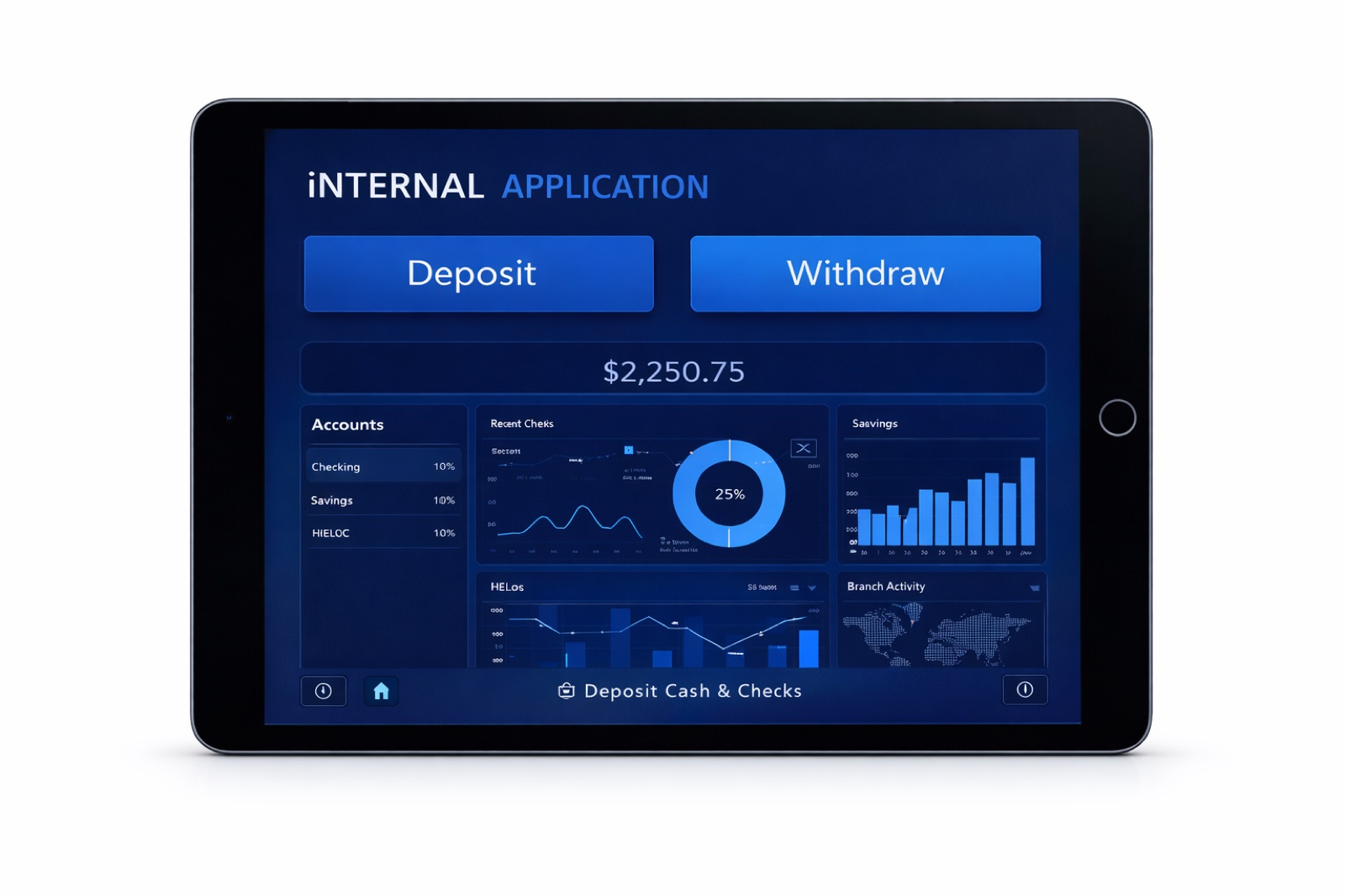
New Check Capture Process
Core Banking UI Overhaul — 5-Month Project
Overview
Led the design of a major UI overhaul of a core banking system, replacing physical check scanners with a fully integrated digital check capture workflow. As the sole UX/UI designer, I guided design strategy across a highly regulated and technically complex environment — translating business, regulatory, and operational requirements into clear, actionable UX solutions.
This case study highlights my ability to navigate complex problem spaces, balance the needs of diverse user groups (frontline employees, managers, compliance officers, and customers), and bridge the gap between design and development — delivering user-centered solutions that respect real-world technical and compliance constraints.
The Problem
The existing check capture process relied on physical scanners, introducing several operational challenges:
- Slower transaction processing at the branch level, especially during peak periods
- Increased risk of human error in handling, scanning, and validating checks
- Limited flexibility for employees performing transactions in front of customers
- Challenges maintaining real-time compliance with internal policies and regulatory requirements
User Flow
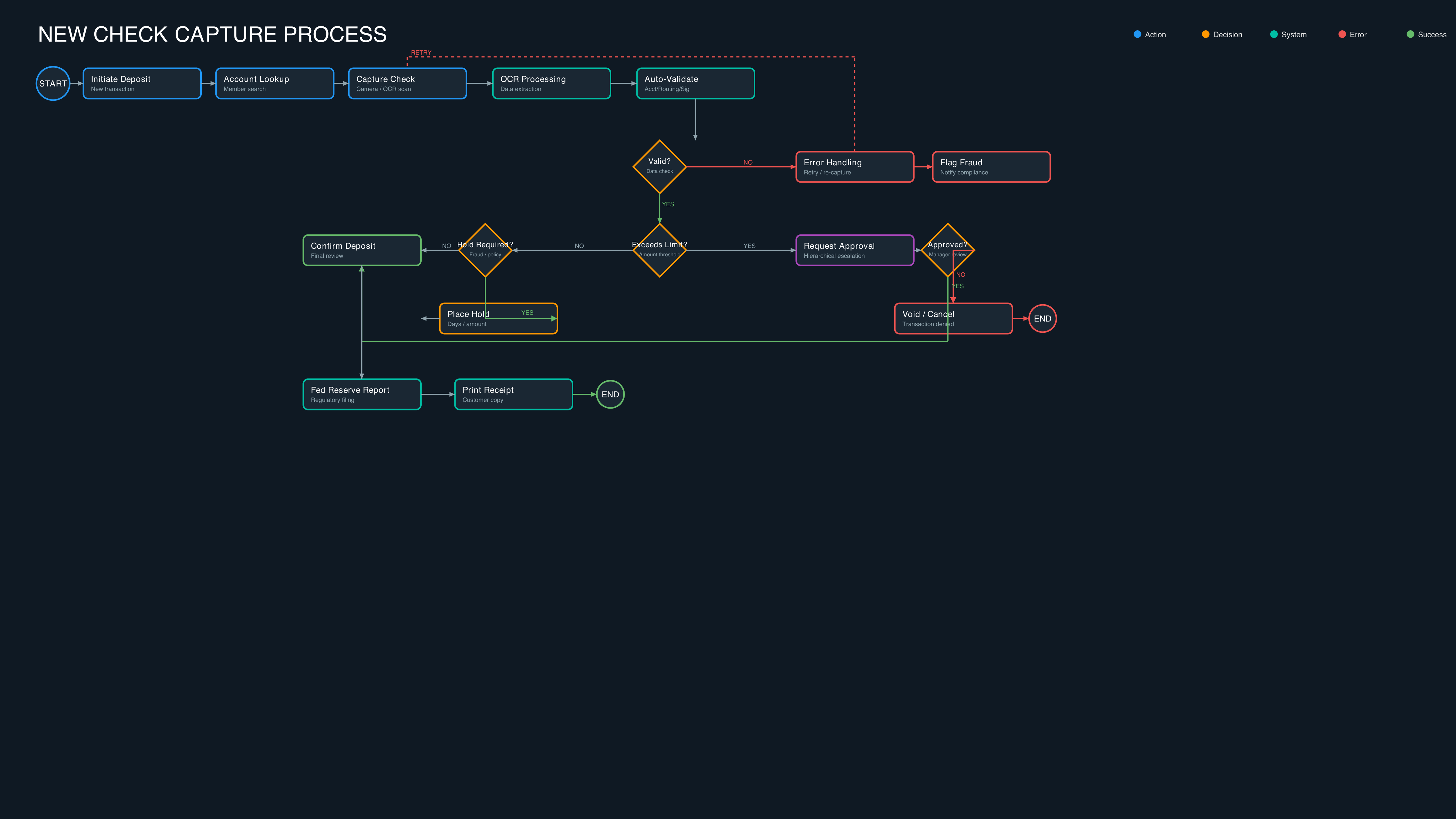
An example user flow showing how members, tellers, and approvers move through the new digital check capture process — from account lookup through OCR validation, fraud checks, hold placement, and regulatory reporting.
Goals
Deliver an intuitive experience requiring no additional hardware and minimal training
Meet NCUA regulations, internal check policies, and fraud detection protocols
Complete the full check capture process in ~1:30 with an optimal 5-click workflow (aligned with Miller's Law)
Integrate seamlessly with core banking systems, OCR vendors, and automated verification tools
Handle complex edge cases in real-time while mitigating risk and maintaining data privacy
Process
1. Discovery & Research
- Conducted stakeholder interviews with frontline employees, branch managers, and compliance officers
- Reviewed process manuals, system architecture, and user role responsibilities
- Surveyed 20+ employees across multiple branches on efficiency and compliance
- Shadowed employees during check capture to observe real-world decision-making
- Analyzed environmental factors — branch layout, lighting, workstation ergonomics — impacting OCR capture
2. Define & Scope
- Captured functional, non-functional, and regulatory requirements
- Defined workflow rules: deposit limits, multi-branch tracking, signature verification, audit-readiness
- Developed high-fidelity user flows with role-based decision logic, conditional exceptions, and approval hierarchies
- Validated flows with line-of-business stakeholders, project managers, and compliance teams
3. Ideate & Technical Alignment
- Translated insights into end-to-end workflow sketches covering ideal journeys and edge cases
- Collaborated with front-end, back-end, and data engineers on visual and technical constraints
- Evaluated UX-versus-implementation tradeoffs (e.g. instant feedback vs. OCR processing latency)
- Prioritized critical UX elements to maintain project timelines and system stability
4. Design & Validation
- Created low-fidelity wireframes in Figma to visualize end-to-end workflows
- Built high-fidelity UI with brand standards, responsive behavior, and accessibility (OCR color contrast, keyboard navigation, screen reader compatibility)
- Developed reusable component libraries (inputs, buttons, modals, error states, notifications)
- Led 7–9 iterative feedback sessions with frontline employees to refine logic, edge cases, and error messaging
5. Implementation, QA & Launch
- Conducted screen-by-screen design verification during development
- Collaborated on scenario-based usability testing, automated feature validation, and regulatory compliance checks
- Monitored real-time error handling during go-live
- Iterated on error messaging, workflow sequences, and OCR capture guidance based on live feedback
Key Design Choices
Three principles shaped the final experience:
Clarity over complexity
Standardized, actionable error messaging so employees can resolve issues without escalating — critical for high-pressure, front-of-customer banking workflows.
Compliance-first accessibility
OCR-readable color contrast, clear typographic hierarchy, and full keyboard navigation to meet NCUA, audit, and WCAG requirements without slowing experienced users.
Efficient, scannable workflows
Aligned with Miller's Law, the 5-click check capture path keeps the full transaction under ~1:30 while surfacing OCR status, hold conditions, and approval prompts at the right moment.
Challenges
• Balancing optimal UX with system limitations (e.g. instant feedback vs. OCR processing latency)
• Navigating strict regulatory, technical, and operational constraints as the sole UX designer
• Accommodating hierarchical approval escalations, variable hold conditions, and real-time fraud workflows
• Environmental factors impacting OCR — white countertops caused frequent failures, resolved with navy-colored mats
• Aligning multi-level stakeholders including CEO, CIO, CLO, SVP of Retail, and regulatory teams
Outcomes
Successful launch with positive feedback from end users and business stakeholders
Eliminated dependency on physical check scanners — fully digital, front-of-customer workflows
OCR and autofill capabilities performed efficiently with accurate real-time data capture
Improved workflow efficiency, reduced processing errors, and enhanced user confidence
Established a scalable, standardized UI framework for future features and updates
Impact
- Re-architected end-to-end check capture — eliminating physical scanners and enabling digital-first banking interactions
- Delivered clear design specifications and reusable component libraries, minimizing implementation risk and rework
- Balanced user experience, backend capabilities, regulatory compliance, and business objectives in a highly constrained environment